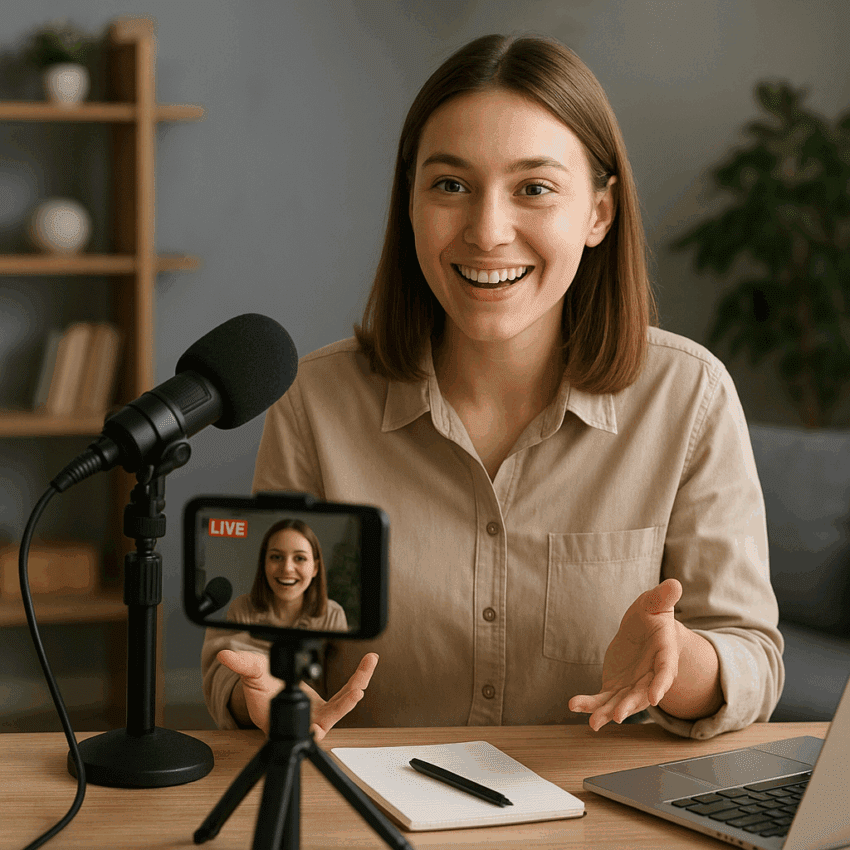
Audiences reward brands that show their human side, answer questions in real time, and invite them behind the curtain. Live streaming turns that promise into a repeatable marketing system that builds trust and measurable demand. It compresses the distance between your team and your buyers, multiplies content output, and supplies rapid market signals you can act on within days. The goal is not just to “go live,” but to design a live program that scales from first view to purchase to advocacy—without sacrificing authenticity.
Why live streaming accelerates brand growth
Three forces make live streaming unusually powerful for modern social media marketing: speed, presence, and reach. Speed comes from the feedback loop—viewers ask, you respond, and the show evolves on the spot. Presence comes from faces, unscripted moments, and the sense of co-creation that static posts rarely match. Reach follows when platforms prioritize formats that keep people in-app longer and reward creators who spark conversation.
Several platform-reported and industry-observed trends underline the advantage. Facebook has reported that people spend significantly more time watching live video than non-live and are far more likely to comment on live content. LinkedIn has stated that LinkedIn Live streams can drive multiple times more reactions and comments than standard video posts, elevating both visibility and trust with professional audiences. Live platforms such as Twitch and YouTube Live account for billions of hours watched per quarter globally, according to recurring industry trackers, indicating a vast and durable attention pool. In e-commerce, analyst reports have highlighted that live shopping has captured a meaningful share of online retail in parts of Asia, showing how the format can accelerate lower-funnel behavior, not just awareness.
At the brand level, live streaming pays off by compounding three marketing assets:
- Relationship equity: Direct, unscripted contact creates durable engagement, even when production values are modest.
- Data equity: Real-time chat, polls, and Q&A surface language, objections, and feature requests you can feed into product, sales, and support.
- Content equity: One stream becomes dozens of clips, posts, and quotes that expand your calendar without ballooning budget.
Importantly, live video builds community by giving viewers rituals to return to—weekly office hours, monthly launches, seasonal specials—and creates social proof as returning viewers greet one another and new attendees. Done well, it also aids discovery, because platforms often notify followers when you go live, feature streams in dedicated tabs, and surface active chats to people browsing similar topics.
Choosing the right platforms and formats
Pick platforms for their native strengths and audience intent, then adapt your runtime, framing, and features accordingly. Consider reach, shoppability, and the context viewers are in when they press play.
Platform fit at a glance
- Instagram Live: Fast reach into lifestyle and creator-centric audiences. Great for co-hosted takeovers, drops, behind-the-scenes, and quick Q&A. Pair with Stories countdowns and Collab to extend reach.
- TikTok Live: Strong algorithmic discovery, especially when you hook viewers in the first 5–10 seconds. Vertical framing, dynamic energy, frequent calls to chat, and native shopping where available.
- YouTube Live: Best for longer-form education, launches, webinars, and events. Use Scheduled Streams, Trailers, and Chapters. Excellent archive value and search discovery after the stream ends.
- LinkedIn Live: Ideal for B2B thought leadership, product walk-throughs, talent branding, and partner panels. Professional tone, strong notification system to first-degree connections.
- Facebook Live: Broad demographics, Groups integration for niche communities, decent live shopping features in some regions.
- Twitch: Deep culture of chat-driven shows, co-streams, and long watch times. Brands win here by programming recurring shows and collaborating with established creators.
- Amazon Live and e‑commerce integrations: Purpose-built for shoppable streams; excels with demos, bundles, and limited-time offers.
Format patterns that travel across platforms
- Show-and-tell demos: Unboxings, before-and-after, live build or edit, screen shares for apps and software.
- AMA and office hours: A recurring Q&A slot to triage objections, offer tips, and gather feature requests.
- Live shopping: Curated collections, bundles, and exclusive promos. Use on-screen pins, product carousels, and limited-time deals.
- Co-created shows: Interviews, debates, co-streams with creators or customers. Cross-pollinates audiences and boosts interactivity.
- Event simulcasts: Keynotes, factory tours, openings. Add a backstage camera with a host to humanize the event.
- Workshops and webinars: Teach a useful process; give away templates; invite people to follow along step-by-step.
A repeatable live show playbook
Build your live program as a show, not a one-off. A show has a promise, a schedule, segments, and a team. That structure turns unpredictable “lives” into predictable pipeline and audience growth.
Define outcomes and signals
- Primary goal: Awareness (reach), education (watch time), demand (leads or sales), or loyalty (return viewers).
- North-star metrics: Peak concur, average watch time, chat rate, follows per hour, qualified leads per stream, order volume, return attendance by cohort.
- Guardrails: Minimum production threshold, brand voice rules, response time to comments, on-screen disclosure for partners.
Design the run of show
- Cold open (0:00–0:45): Hook with a benefit statement and visual cue. Assume the first 10 seconds decide 50% of retention.
- Agenda preview (0:45–2:00): Three bullets; mention an incentive for staying to the end.
- Main segments (2:00–25:00+): Alternate teaching or demo beats with chat prompts and polls every 3–5 minutes.
- Interactive break: Rapid-fire Q&A, hashtag challenge, or giveaway mechanic.
- Call-to-action (final 2–3 minutes): One CTA, restated twice, supported by a pinned link and on-screen lower third.
- Afterparty (optional): Post-stream VIP Q&A for subscribers or customers in a private Group or Discord.
On-camera and chat choreography
- Host role: Keeps pace, reiterates value, names people in chat, and bridges segments.
- Producer role: Manages scenes, audio levels, overlays, pins links, prompts the host with questions.
- Moderator role: Welcomes new viewers, filters spam, flags FAQs, enforces community rules.
Technical baseline and reliability
- Audio first: External microphone, monitoring headphones, treat your room, and limit background noise. Viewers forgive imperfect video but not harsh audio.
- Lighting and framing: Key light at 45 degrees, fill to soften shadows, eye line at lens height, headroom consistent.
- Connectivity: Ethernet if possible; otherwise, strong Wi‑Fi near the router. Test upload speed; target 6–10 Mbps minimum for 1080p.
- Encoder and scenes: OBS/Streamlabs/StreamYard/Ecum Live or native studio. Prepare scenes for cold open, demo, screen share, and end card.
- Backups: Secondary camera or phone on standby, spare cables, and a printed run of show. Have a “We’ll be right back” slate.
Accessibility and inclusion
- Captions: Enable live captions where supported; add burned-in captions to post-stream clips.
- Color and contrast: Ensure overlays and lower thirds meet accessibility contrast guidelines.
- Pacing: Build pauses to read chat aloud for people listening without looking at screens.
The goal is to maximize retention by surfacing value early, rewarding participation often, and always telling viewers what’s next.
From viewers to customers: conversion architecture
Live streams win when they translate attention into outcomes without breaking the fourth wall. Architect your path to purchase so it feels native to the show and the platform.
Offer design and CTAs
- One primary action: Download the guide, start a trial, claim a bundle, book a consult. Pick one and reinforce it.
- Incentive alignment: Time-bound bonus, live-only discount, limited inventory, or unlockable perk after hitting a chat goal.
- Frictionless links: Pin a short, memorable URL; add UTM parameters; mirror it in your bio and description.
- Visual cues: On-screen overlay with the offer; lower third shows at predictable intervals; emoji pins for mobile viewers.
Shoppable features and assisted selling
- Native shopping: Product carousels and pins on platforms that support it. Demonstrate the product while the link is visible.
- Guided carts: Share curated kits or bundles, reducing decision fatigue. Explain who each option fits.
- Live concierge: Moderators DM links, answer sizing or compatibility questions, and capture pre-orders for out-of-stock items.
Lead capture and remarketing
- Fast forms: If your CTA is a lead magnet or consult, use a two-step form embedded on a fast landing page.
- Tagging and pixels: Fire analytics tags on click and purchase; build remarketing audiences from viewers and engagers.
- Follow-up: Send a recap email with timestamps and offers within 24 hours. Remind no-shows they can watch on-demand.
Think of conversion not as a single click but as a sequence: spark curiosity in the hook, prove value in the demo, reduce friction with pins and overlays, and close with a confident, customer-centered ask.
Content lifecycle and repurposing
Every stream is a content mine. If you invest 45–60 minutes live, aim to publish a full replay, 5–10 short clips, 3–5 image quotes or carousels, a blog recap, and a newsletter section. This extends shelf life, spreads risk across algorithms, and compounds SEO value.
Clipping and distribution
- Highlights: Cut 20–60 second verticals for Shorts, Reels, and TikTok. Front-load the benefit and add subtitles.
- Moments: Capture authentic audience reactions, aha moments, and crisp explanations. These drive shares.
- Chapters: Add timestamps to the full replay on YouTube; pin comments with jump links on Facebook and LinkedIn.
Written and search amplification
- Recaps: Turn the show into a blog post with screenshots, quotes, and embedded clips. Link to related products or resources.
- Knowledge base: Convert how-to segments into help articles; embed the relevant timecodes.
- Newsletter: Feature the top clip and the next live date; add a single, clear CTA.
Consistently packaging replays and clips improves discoverability and gives new viewers a low-commitment way to sample your show. Treat repurposing as a built-in step, not an afterthought.
Measurement, analytics, and iteration
Track what the platform measures by default and layer your own outcome metrics on top. The combination tells you where to optimize the experience versus the offer.
Core live metrics
- Peak versus average concurrent: A wide gap suggests a strong hook but weak mid-roll pacing; a narrow gap indicates steady value delivery.
- Average watch time: The single strongest lever for algorithmic distribution on many platforms; adjust segment length and hooks to raise it.
- Chat rate and reactions per minute: A proxy for energy and clarity; use prompts and polls to stimulate participation.
- Follower/subscriber gain: Indicates perceived ongoing value; spikes often follow standout segments guests, or reveals.
Outcome metrics
- CTR on pinned links: Evaluate offer resonance and clarity of the on-screen ask.
- Leads and sales: Attribute with UTMs and dedicated codes; benchmark per 100 viewers and per hour of runtime.
- Return attendance: Track viewers who attend 2+ shows; this predicts long-term program health.
Experiment loops
- Test cadence: Try shorter but more frequent lives for social-first audiences; longer deep-dives for YouTube and LinkedIn.
- Hook variants: Record three 10-second openings; use the best-performing one next stream.
- Guest effect: Compare metrics with and without a co-host; note chat velocity and new followers.
Use analytics to answer one question per week: What should we do more of, less of, or differently next time? Small, steady changes win.
Programming calendars and creative prompts
Audiences build habits around predictable programming. Name your show, define a weekly or biweekly slot, and stick to it. Recurring segments make production easier and make it simple for viewers to know what they will get, which strengthens consistency.
Editorial building blocks
- Teach Tuesdays: Tactical walkthroughs with downloadable templates.
- Founders’ Friday: Vision, roadmap, and live customer shout-outs.
- Fix-it Clinic: Audit viewer submissions live; celebrate improvements.
- Launch Lab: Ship small features or product bundles live, every month.
- Community Spotlight: Interview customers; show their workflow or results.
Seasonal arcs and campaigns
- Quarterly themes: Align live topics with product seasons or industry events.
- Countdown series: Build hype to a launch with 3–5 short lives.
- Cause-driven: Partner with nonprofits and creators for charity streams.
Promotion before, during, and after
Discovery rarely happens by accident. Support every stream with a lightweight but reliable promotion plan.
Before
- Schedule the stream: Create an event page; enable reminders and add it to your Link in Bio.
- Teasers: Post 10–15 second vertical teasers; email your list with one-sentence value proposition and an Add to Calendar link.
- Partners: Give guests prewritten posts, art, and unique links.
During
- Cross-pins: Pin the CTA in chat and in a comment; drop it again mid-stream.
- Milestones: Celebrate chat or viewer count milestones with a flash bonus.
- Social echo: Have a teammate live-tweet or live-post standout quotes and moments.
After
- Recap thread: Post a carousel or thread with 3–5 takeaways and clips.
- DM follow-ups: Thank top chatters with a note or resource link.
- Survey: 30-second form about topic interest and time preferences.
Creator and partner collaborations
Borrowing reach works best when the value to the creator’s audience is obvious. Co-develop a segment they would be proud to host without you: a mini masterclass, a kit reveal, or a challenge. Define roles, deliverables, and measurements upfront. Offer creators creative freedom within your brand guardrails, and always measure first-time versus returning viewers to understand long-term impact.
Legal, safety, and brand risk
Live means unscripted, not unmanaged. Reduce risk with simple, repeatable rules.
- Copyright: Use licensed music or platform-safe libraries; avoid showing third-party content without permission.
- Disclosures: On-screen and verbal disclosures for sponsored segments or affiliate links.
- Privacy: Blur or avoid personal data; get consent for on-site filming; respect minors’ protections.
- Moderation: Publish chat rules; empower mods to time out or ban; maintain a zero-tolerance policy for harassment.
- Crisis plan: A safe-word or cue to cut to a waiting screen; a prepared apology framework in case of errors.
Advanced production and strategy
When the basics run smoothly, add layers that deepen the experience and widen distribution.
- Simulcasting: Use a restreaming service to hit multiple platforms; tailor overlays per platform when possible.
- Overlays and scenes: Branded frames, sponsor slates, progress bars for goals, and live lower thirds with dynamic fields.
- Latency choices: Opt for low-latency modes for faster chat back-and-forth; test stability before high-stakes shows.
- Interactive tools: Live polls, quizzes, wheel-of-names giveaways, and call-in Q&A with guests.
- Multi-language: Captions in multiple languages post-stream; occasional bilingual hosts for key markets.
- Paid amplification: Boost the event post, retarget engagers with post-stream offers, and whitelist top creator clips.
Sketches from the field
Consumer beauty brand: Weekly “Get Ready With Us” on TikTok and Instagram featuring two creators and a rotating customer guest. They use side-by-side swatch demos, product pins, and a limited-time duo bundle. Over a quarter, their returning live audience stabilizes as a community, product questions shift from basics to advanced tips, and leadership greenlights a small product co-creation program seeded by chat ideas.
B2B SaaS: Biweekly “Workflow Lab” on YouTube Live and LinkedIn Live. Each episode solves a common job-to-be-done in 20 minutes with a live build, then 10 minutes of office hours. Clips feed the help center and SEO articles; sales uses replay snippets in follow-ups. Within two months, they track shorter sales cycles for prospects who attended at least one stream.
Nonprofit: Quarterly “Impact Night” simulcast with a matching donor. They run interviews with beneficiaries, transparent budget breakdowns, and live goal progress bars. Moderators answer questions about program logistics, and the post-stream email raises an additional tranche within 48 hours from people who watched the replay.
Common pitfalls and how to avoid them
- Overproducing before you have a show: Start with clear value and simple scenes; upgrade gear later.
- Ignoring chat: Schedule prompts; read names; use questions to transition segments.
- Too many CTAs: One action per show; repeat it consistently.
- Inconsistent scheduling: Name the day and time; protect it like a meeting with your best customer.
- No post-stream plan: Book time immediately after the show to clip, post, and email.
A 14-day launch plan
- Day 1–2: Define your show promise, audience, and single CTA. Draft a 30-minute run of show.
- Day 3–4: Assemble minimal gear: mic, light, and encoder. Design two overlays and a waiting screen.
- Day 5: Schedule your first stream; create an event page and teaser assets.
- Day 6–7: Run two private rehearsals; test audio levels, screen share, and link pins.
- Day 8: Publish teasers across channels; email your list with the value proposition.
- Day 9: Go live; stick to the run of show; thank participants by name; pin your CTA.
- Day 10: Clip 5–7 highlights; publish 2–3 immediately; schedule the rest.
- Day 11: Send a recap email with timestamps and the next stream date.
- Day 12: Review metrics; decide one change to test next time.
- Day 13–14: Book your next guest or segment; rinse and repeat.
Cost-effective gear path
Your audience cares more about value and presence than cinema-grade visuals. Here’s a pragmatic upgrade ladder.
- Starter: Smartphone, clip-on lav mic, window light, free encoder or native app.
- Intermediate: Mirrorless camera with clean HDMI, audio interface or USB mic, two-point lighting, branded overlays.
- Advanced: Dual-camera angles, hardware encoder, in-ear monitoring, dedicated producer, and animated graphics.
Team structure and process
Even small teams can run a professional live program with defined roles, checklists, and a light editorial process.
- Host: On-camera talent with subject mastery and audience empathy.
- Producer: Scene switching, overlays, pinned links, and pacing.
- Moderator: Chat health, FAQs, and community enforcement.
- Clipper: Post-stream clipping, subtitles, and publishing.
- Analyst: Weekly performance review and test plan.
Adopt a simple pre-live checklist: tech test, asset check, links and UTMs verified, run of show printed, backup plan prepared, and a 5-minute quiet time to focus before you go live.
Global and cultural considerations
Live content travels, but context changes. Localize time slots to major audience clusters, adapt idioms, and be careful with humor, hand gestures, and references. Where bandwidth is limited, consider shorter segments, lower bitrate streams, and immediate clip distribution. For multilingual audiences, rotate hosts or add real-time captions and post-stream translations.
Sponsorships and monetization
Once your show has repeatable viewership, you can layer revenue without undermining viewer trust. Package mid-roll mentions, on-screen logos, and sponsored segments as part of a larger relationship that includes clips and newsletters. Disclose clearly and tie the sponsor to content that makes obvious sense for your audience. In e-commerce, monetize directly through bundles and exclusives; in B2B, treat lives as pipeline programs and track influenced revenue.
Evidence and evolving norms
As platforms evolve, live features continue to expand—native shopping in more regions, improved analytics, and better tools for guests, green rooms, and cross-platform distribution. Platform teams have repeatedly highlighted that live content drives more comments and watch time than static posts, which aligns with what brands observe on the ground: when you talk with people rather than at them, they stick around and act.
Live streaming for brand growth is not a one-hit tactic. It is an operating system for attention: show up regularly, deliver clear value, ask for one action, and learn out loud. With the right scaffolding—tight hooks, interactive beats, disciplined offers, and a robust content afterlife—you will earn trust at scale and convert it into outcomes that compound over time.