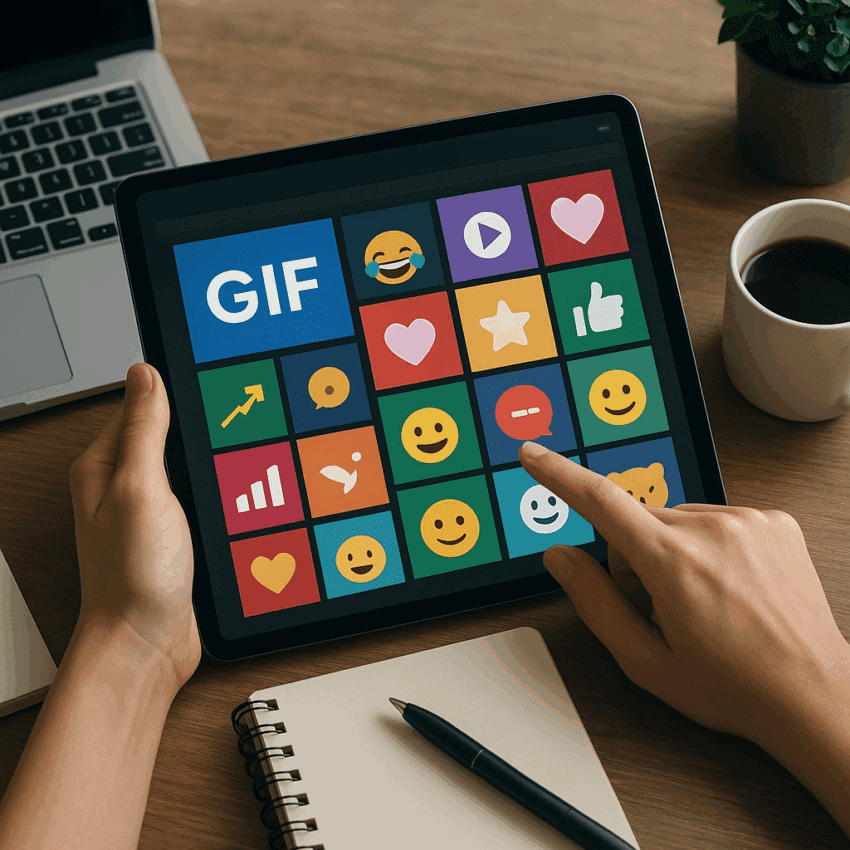
Few formats travel as widely and as quickly across social platforms as the humble GIF. Straddling the line between image and video, it loads fast, loops endlessly, and says more in two seconds than a paragraph can. Brands use it to punctuate replies, demonstrate a feature, or turn a product moment into a shareable reaction. The result is often a meaningful lift in engagement precisely because GIFs are easy to consume, playful, and native to how audiences communicate online.
Why GIFs Work So Well on Social Media
At their core, GIFs compress a story into a bite-sized loop that’s impossible to ignore. That looping action captures attention without demanding sound or a full-screen commitment, which is ideal for crowded feeds and quick-scroll behaviors. Several dynamics power their effectiveness:
- Cognitive efficiency: Our brains prefer motion for pattern detection. A looping highlight, reveal, or punchline exploits this preference, helping viewers interpret meaning instantly.
- Message density: A three-second loop can encode setup and payoff, making it efficient for micro-tutorials, reveals, and punchlines.
- Low friction: GIFs auto-play silently in most feeds, eliminating the “should I tap?” barrier that can depress view starts on video.
- Emotional shorthand: Reaction GIFs and expressive motion amplify tone—delight, surprise, relief—without heavy copy.
Scale and usage patterns also matter. GIPHY has reported serving 10+ billion GIFs per day to hundreds of millions of users globally, indicating a vast discovery and sharing ecosystem. On X (formerly Twitter), platform data has commonly highlighted that Tweets with GIFs tend to earn significantly more interactions; one widely cited figure from Twitter Business noted a lift around 55% in interactions for Tweets including GIFs compared to those without. While the exact impact varies by audience and creative, these signals mirror what many social teams see in practice: more taps, more replies, and more shares when motion enters the post.
Finally, GIFs are platform-agnostic. They appear in comment threads, DMs, stories, reply chains, and even community platforms like Slack and Discord. That omnipresence makes a well-crafted loop an asset that can travel organically, increasing the odds of brand mentions and lightweight storytelling across channels.
Set Clear Objectives Before You Animate
Before opening your editor, define the job the GIF must do. Goals guide scripting, length, and format decisions, and they allow you to evaluate results against something more concrete than “did people like it?”
- Awareness: Quick loops that spotlight a product benefit, visual identity, or seasonal theme; success is measured by reach, views, and shares.
- Engagement: Reaction GIFs or prompts that invite replies; track replies, comments, sticker taps, and saves.
- Traffic: Teaser loops that make users curious enough to click; measure CTR and session depth.
- Lead or sale: Feature demos or offer GIFs that reduce uncertainty; evaluate assisted conversions and last-touch lifts.
Map your target audience and platform conventions. Instagram’s feed does not accept native .gif uploads; you’ll publish as an MP4 that loops (Reels, feed video, or stories), whereas Stories and DMs let you attach GIF stickers from GIPHY or Tenor. X, Facebook, LinkedIn, Pinterest, Reddit, and messaging apps support animated GIFs more directly, though they often transcode to MP4 behind the scenes to reduce payload.
Finally, connect the creative to a message hierarchy: hook, benefit, proof, brand. In 2–4 seconds, you won’t fit everything, so pick one non-negotiable message to land. If the KPI is conversion, consider showing the moment of value (before/after, problem/solution) and place the brand mark subtly but clearly.
Creative Principles That Drive Performance
Lead with motion that matters
Put the visual climax in frame one. A hand pressing a button that triggers an instant transformation, a product unfolding, or a counter ticking down will stop the scroll faster than a static logo intro. Use the first 0.5 seconds for a visual hook that sets expectation.
Design the loop
Good GIFs feel seamless. End where you began: an object returns to its original position, a mask resets, or the final frame matches the first. If a perfect loop isn’t possible, hide the seam during a cut or flash on a neutral frame.
Use text sparingly and purposefully
Motion earns attention; text should clarify, not compete. Favor six words or fewer per scene, high contrast, and generous sizing for small screens. Consider kinetic type for emphasis, but keep transitions clean to preserve legibility.
Show, don’t tell
Demonstrations routinely outperform declarative copy. If your claim is “sets up in 5 seconds,” animate the setup. If the value is “lighter than your phone,” show a scale comparison. Visual proof compresses persuasion time and supports authenticity.
Make it sound-off friendly
Assume viewers watch on mute. Use on-screen cues, icons, and motion to convey cause and effect. If voiceover exists in the video source, translate its key beats into captions or concise overlays.
Formats That Consistently Win
- Micro-tutorials: 2–6 seconds to teach one action—tap, swipe, fold, blend. Add a subtle progress cue so viewers register the outcome within one loop.
- Before/after reveals: Transformations land quickly and satisfy curiosity. Cut on movement to hide loop seams.
- Cinemagraphs: Mostly-still images with one moving element (steam, water, screen glow). Classy and thumb-stopping for lifestyle brands.
- Reaction and mood: Branded reaction GIFs that express delight, shock, or approval. Useful in community replies and customer support threads.
- Countdowns: Animate a ticking counter or shrinking progress ring to signal urgency for launches and sales.
- Feature spotlight: Isolate one benefit per GIF: “night mode toggles,” “magnetic snap,” “auto-save.” Chain several in a carousel.
- Unbox or assembly loop: Satisfying mechanics drive repeat watches and longer dwell.
- Data-to-motion: Animate a chart reveal or number flip for reports and milestones.
- UGC remixes: With permission, amplify a customer’s moment—overlay brand stickers and a call-to-action.
Technical Guidelines for Crisp Results
Great ideas need clean execution. Follow these production rules to keep GIFs sharp, small, and reliable across networks.
- Duration: 2–6 seconds is the sweet spot; long enough to communicate, short enough to loop without fatigue.
- Dimensions: Create at 1080×1080 for square, 1080×1350 for 4:5 vertical feed, and 1080×1920 for Stories/Reels. Export down to 720p if file size spikes.
- File size: Under 6 MB improves delivery and reduces upload headaches; X mobile often limits to ~5 MB, desktop higher. Many platforms transcode anyway, but a lean source helps.
- Frame rate: 12–24 fps is ample; fewer frames plus smart tweening preserve motion while lowering weight.
- Color: GIF is 8-bit (256-color palette). Use selective dithering to fight banding and crush gradients; limit busy textures.
- Format choice: Upload MP4 or MOV when a platform treats “GIFs” as video behind the scenes. You’ll get smaller files and cleaner motion with H.264/HEVC than raw GIF.
- Compression: Lean on vector shapes, flat colors, and short loops. Tools like Photoshop, After Effects (via Bodymovin to Lottie, then MP4), Ezgif, or ffmpeg let you trim, palette-optimize, and reduce frames.
Accessibility, Safety, and Brand Considerations
Responsible motion design widens reach and reduces risk. Prioritize accessibility so your content is enjoyable for more people, and ensure compliance with brand and platform standards.
- Alt text: Write concise descriptions that capture action and purpose: “Looping GIF of a coffee mug self-filling to illustrate auto-refill.”
- Reduced motion: Avoid rapid strobing or flashing. Respect seizure thresholds (no more than three flashes per second; keep contrast deltas modest).
- Legible type: Minimum 16–20 px at mobile scale, high color contrast (AA or better). Reserve decorative fonts for large headers only.
- First-frame failsafe: Some email clients and older apps display only the first frame. Ensure the first frame communicates your key message or call-to-action.
- Licensing: Secure rights for any third-party footage, music (if exporting to video), or memes. For reaction culture, create brand-owned equivalents to avoid takedowns.
- Branding: Keep the logo subtle (corner lockup or product-embedded) to preserve shareability while maintaining attribution.
Production Workflow: From Idea to Publish
1) Script the loop
Write a one-sentence objective and a three-beat storyboard: Hook → Proof → Reset. Note the exact loop point and any masking or camera tricks you’ll use to hide the seam.
2) Capture or design
Record at the highest frame rate you can, lock exposure and white balance, and stabilize the camera. For design-first loops, build modular layers so you can swap palettes, products, or CTAs later.
3) Edit and grade
Trim ruthlessly. Punch contrast and saturation slightly more than you would for video; small screens benefit from clarity. If gradients band, add subtle noise or switch to an MP4 export for socials that accept it.
4) Add overlays and brand elements
Use animated icons and micro-interactions to direct the eye. Keep the call-to-action visible for at least one full loop. Maintain safe margins (at least 90 px from edges on 1080×1920) to avoid UI overlays in Stories.
5) Export and test
Export multiple variants: a true GIF for platforms that need it, and an MP4 for those that transcode. Test on a mid-tier Android and iPhone to catch color and compression artifacts.
Platform Nuances You Should Know
- Instagram: Upload loops as MP4 for feed/reels. Stories accept GIPHY/Tenor stickers; create a branded sticker pack to extend organic reach.
- X (Twitter): GIFs auto-play and loop; concise, high-contrast visuals perform well in fast threads.
- Facebook: Supports GIF upload and often transcodes to MP4; watch for recompression—start with a clean source.
- LinkedIn: Allows animated GIFs in posts and comments; B2B audiences respond to tasteful motion, data visuals, and product teases.
- Pinterest: GIFs and short videos can pin as “Idea Pins”; motion frequently improves saves and outbound clicks for how-to content.
- Email: Many clients support animated GIFs; Outlook desktop may show only the first frame. Design the first frame to stand alone.
- Messaging and communities: Slack, Discord, WhatsApp, and Telegram embrace GIFs; brand reply libraries multiply the value of each asset.
Optimization and Measurement
Treat each loop like a miniature landing page. You don’t have much time, so refine what the eye sees first and remove anything that competes with your main message. Rigorous optimization and measurement practices compound gains over time.
Test variables methodically
- Hook frames: start with action vs. start with outcome.
- Framing: tight macro vs. medium context.
- Text overlays: with vs. without, and copy variations of five words or fewer.
- Colorways: high-contrast brand palette vs. neutral background with color pop.
- Length: 2s vs. 4s vs. 6s loops.
Pick the right metrics
For awareness: impressions, unique viewers, and replays per user. For retention: average watch time per impression and completion of at least one full loop. For action: outbound CTR, add-to-cart rate, and assisted conversions (via UTMs and analytics platforms). For community: replies, saves, and share rate per impression. Instrument link clicks with UTM parameters and map events in your web analytics so you can attribute lift to specific creatives.
Reasonable benchmarks
Baseline performance depends on audience and platform, but teams often see 10–30% improvements in scroll-stop rate when swapping a static image for a well-crafted loop and double-digit improvements in reply/share rates for reaction-style posts. For paid campaigns, short motion units can reduce cost-per-click relative to static, especially for retargeting where recognition is high. Use A/B tests in your ad platform to validate.
Distribution: Give Your GIFs the Best Shot
- Thumbnails: Platforms that pause auto-play need a compelling first frame. Choose one that communicates benefit even if motion never starts.
- Captions: Pair loops with specific copy. Swap “New drop” for “Opens in 1 second. Watch.” Direct the eye to the action.
- Hashtags and search: Tag context (e.g., #howto, #productname). Publish a branded GIPHY channel so your stickers surface in Stories search.
- Community replies: Arm social support and community managers with a reply library of on-brand reaction GIFs to humanize interactions.
- Cross-post smartly: Respect aspect ratios; reframe or design variants for 4:5, 1:1, 9:16 rather than one-size-fits-all crops.
Realistic Examples of What Works
- Software feature reveal: A 3-second loop of a cursor dragging a block to auto-align columns. Result: higher tutorial completion starts and a lift in feature adoption among retargeted users.
- CPG product benefit: Before/after stain removal with a wipe transition that hides the loop seam. Result: increased saves and share rate in Pinterest how-to boards.
- Fashion try-on: Quick outfits cycling on a mannequin with consistent lighting. Result: more profile visits and add-to-wishlist actions from Reels viewers.
- Event countdown: Ticking progress ring with the date locked on-screen. Result: more reminder taps in Stories and stronger same-day open rates in email.
Avoid These Common Pitfalls
- Overstuffing: Too many ideas in one loop. Pick one message.
- Illegible text: Tiny type or low contrast; design for a 5-inch screen at arm’s length.
- Heavy files: 15 MB GIFs choke mobile networks; transcode to MP4 where possible.
- Poor loops: Visible jolts at the reset frame; plan the seam during motion or match start and end frames.
- Asset drift: Teams remix without standards. Maintain a library with versioning, aspect ratios, and usage notes.
- Uncleared content: Meme or clip reuse without rights can trigger takedowns—create brand-owned reaction equivalents.
Toolbox: From No-Code to Pro
- Design and motion: Adobe After Effects (with scripts for loop planning), Premiere Pro, Photoshop (timeline export), Figma (smart animate → MP4), Canva, CapCut.
- Capture: Screenflow, OBS Studio, GIPHY Capture for on-screen demos.
- Optimization: Ezgif, Sqoosh, ffmpeg for palette optimization, frame dropping, and MP4 transcoding.
- Management: DAMs and cloud libraries with naming conventions like brand_format_aspect_goal_duration_version (e.g., acme_loop_45_awareness_03s_v2).
Building a Scalable GIF Program
Treat GIFs as a system, not one-offs. Establish templates for hooks, loop mechanics, and overlays so designers can generate variants quickly. Create a brand sticker pack for Stories to capture organic uses. Audit quarterly: prune underperformers, re-edit near-misses, and roll top performers into paid amplification. Maintain a back-catalog of evergreen loops—features that won’t age quickly—so your team can respond quickly during campaigns or cultural moments, fueling potential virality without starting from scratch.
The Future of Short-Form Loops
As platforms double down on short-form video, the GIF’s role evolves from file format to creative pattern: fast hook, clear payoff, seamless loop. Expect richer stickers in AR, smarter search surfaces in GIPHY/Tenor, and AI-assisted generation that automates masking, palette tuning, and loop points. What won’t change is the human factor: clear intent, disciplined craft, and an obsession with user value. When your loop delivers utility or delight in under five seconds, you’ll earn the most scarce currency in feeds—focused attention—and convert it into meaningful action.
Checklist: Publish-Ready in Minutes
- Objective defined and single message chosen.
- Hook in first 0.5 seconds; loop planned and seamless.
- Type legible on mobile; first frame communicates the gist.
- Aspect ratios adapted for each platform.
- Under 6 MB (or MP4 equivalent) with clean compression.
- Alt text written; motion safe; brand mark present but subtle.
- UTM links attached; hypothesis documented for testing.
- Variants queued for A/B: hook, length, framing, overlay.
From Loop to Lift
GIFs shine when they simplify a moment, prove a benefit, or invite a playful reply. Their low friction, fast comprehension, and broad compatibility make them ideal building blocks for awareness and performance alike. Anchor each loop to an outcome, respect the constraints of the medium, and iterate from data. Over time, a tight library of on-brand loops becomes a reusable engine that supports campaigns, community, and customer education—turning seconds of motion into measurable results and, ultimately, more reliable conversion.