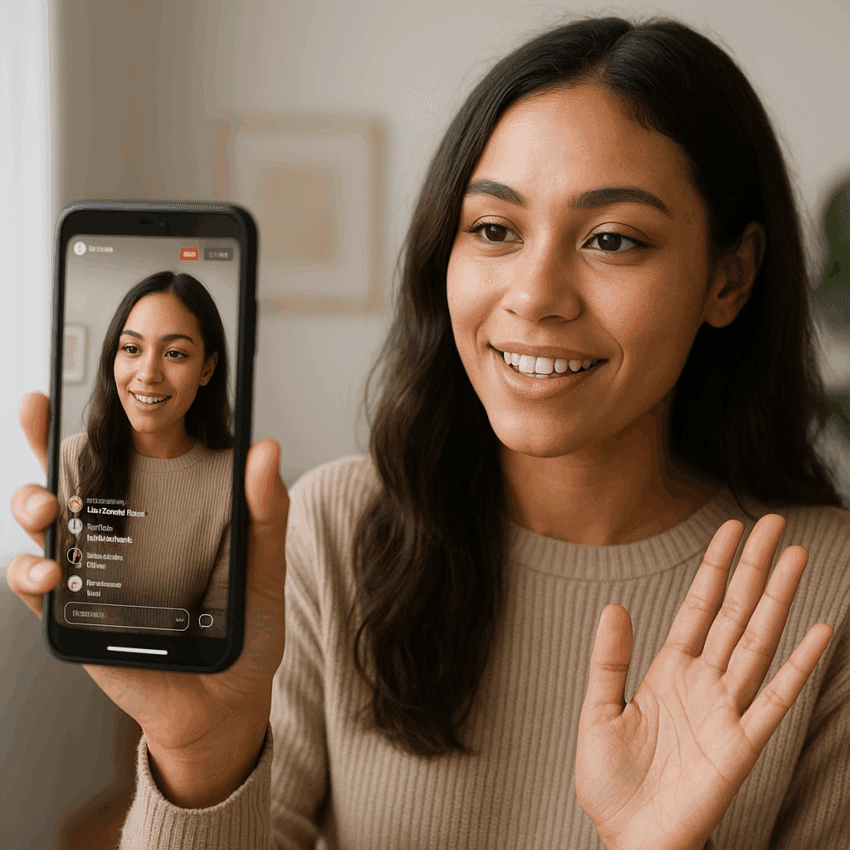
Instagram Live offers a rare combination of reach, intimacy, and immediacy that few social formats can match. When you go live, your avatar jumps to the front of the Stories tray with a vibrant ring, and many followers receive a push notification. That signal cuts through the noise, opens a real-time window into your world, and invites two-way conversation. With more than 2 billion people using Instagram every month and over 500 million interacting with Stories daily, mastering Live can transform passive scrollers into active participants, buyers, and loyal advocates. This guide shows you how to plan, produce, and optimize broadcasts that deepen relationships, amplify your brand, and drive measurable results.
Why Instagram Live Matters for Connection and Growth
Live video on Instagram is a direct line to your community. Unlike polished, edited posts, a broadcast unfolds in the moment. The tone is more human, the barrier to interaction is lower, and the feedback loop is instant. That combination cultivates stronger engagement and builds trust faster than most other content types.
Several platform dynamics make Live especially valuable:
- Prime placement and notifications: Your live stream appears at the front of the Stories bar. Followers who have notifications enabled, or who frequently engage with you, may receive a prompt when you start.
- Algorithmic preference during the session: Live content can spark rapid comment velocity and watch time, which are strong signals to Instagram’s algorithm. The more your audience participates, the more your broadcast—and future posts—benefit.
- Frictionless participation: Viewers can ask questions, send hearts, purchase badges (where available), or join on camera when invited—turning a one-to-many broadcast into a dynamic conversation.
- Extended shelf life: After you end the session, you can share a replay to your feed and archive it for later use, multiplying the impact beyond the initial window.
While Instagram phased out native Live Shopping product tagging in 2023, monetization and community tools remain robust: creator Badges, fundraisers for nonprofits, Gifts (in select regions), and strong cross-channel funnels to your website or shop via your bio link and follow-up Stories. Combined with features like Live Rooms (up to four participants), scheduling with reminders, and practice mode, Live has matured into a professional-grade format that still feels refreshingly spontaneous.
Bottom line: if you value authenticity, relationship-building, and real-time learning about your audience’s needs, Live is a strategic pillar worth mastering.
Set Clear Objectives and Choose the Right Format
Great broadcasts start with purpose. Define what you want viewers to think, feel, and do as a result of your session. Tie that purpose to a specific metric and an appropriate show format.
Example objectives and metrics
- Community Q&A: Measure comment volume, questions answered, average watch time, and follower growth within 24–72 hours.
- Product education or tutorial: Track link-in-bio clicks (use UTM parameters), coupon redemptions, and incremental sales. Your focus is conversion, not just views.
- Behind-the-scenes or launch reveal: Monitor peak concurrent viewers and replay views to gauge anticipation and message spread.
- Thought leadership interview: Evaluate saves, shares on the replay, and inbound inquiries.
- Cause-based fundraiser: Track donations via Instagram’s fundraiser tool and subsequent community actions (email sign-ups, volunteer interest).
High-performing Live formats
- Ask Me Anything (AMA) with Q&A mode
- Live Rooms panel (up to four people) with co-marketing partners
- Workshops, demos, and how-tos with on-screen materials or props
- Behind-the-scenes tours, pop-up announcements, or field reporting
- Community spotlights and customer success stories
- Weekly “office hours” series for predictable cadence and consistency
Pair each format with a tight “run of show” (your agenda), so the live experience remains focused and energetic.
Pre-Production: Planning, Equipment, and Checklists
Preparation is your best defense against awkward pauses, technical hiccups, and missed opportunities. A small amount of structure preserves spontaneity while preventing chaos.
Create a concise run of show
- Opening hook (10–20 seconds): Why should someone stay? State the value quickly and clearly.
- Context (1 minute): Who you are, what you’ll cover, how to participate (questions, badges, fundraiser).
- Main segments (10–30 minutes): Plan 2–4 segments with time boxes. Insert intentional moments for questions.
- CTAs and recap (2 minutes): Summarize key takeaways, direct viewers to next steps (bio link, DM keyword, replay).
- Buffer (5 minutes): Reserve time for unexpected questions or tech delays.
Technical setup that inspires confidence
- Audio first: Poor sound kills watch time. Use a lavalier or shotgun mic that connects to your phone. If indoors, soften echo with fabric or rugs.
- Lighting: Face a window or use a ring/key light. Avoid strong backlight that silhouettes your face.
- Stability and framing: Use a tripod. Frame in vertical 9:16 with headroom and eye-level height.
- Network: Aim for at least 10 Mbps upload. If possible, use dedicated Wi‑Fi near the router. Close bandwidth-heavy apps. Toggle Low Data Mode off.
- Device readiness: Fully charge, enable Do Not Disturb, and clear storage for replay saves. Update the Instagram app beforehand.
- Environment: Choose a quiet space; place a “Recording—Please Knock” note on the door to prevent interruptions.
Accessibility and safety by design
- Captions: Enable auto-captions (where available). Enunciate and summarize key points verbally for better accessibility.
- Visual clarity: Describe on-screen actions and visuals for people with low vision.
- Content rights: Avoid playing copyrighted music or showing content you don’t own. Instagram may mute or limit distribution.
- Community guidelines: Plan a policy for off-topic or harmful comments. Assign a moderator to maintain a healthy space.
Promotion that primes attendance
- Schedule your Live in-app (up to 90 days ahead). Share reminder posts in your feed and Stories with countdown stickers.
- Cross-promote in email, other social channels, and on your website. Use a consistent title and image so recognition builds.
- Tease value: Publish a reel or carousel previewing what people will learn or gain by attending live.
How to Go Live Step by Step (Mobile)
Follow these steps to reduce friction and maximize early momentum:
- Open Instagram and tap the plus (+) icon or swipe right to open the camera, then select Live.
- Set a title so latecomers understand the topic. If relevant, turn on Badges, add a nonprofit fundraiser, or enable Q&A.
- Consider Practice mode for an equipment and framing check with a co-host before you go public.
- Tap the Live button to start. Wait a few seconds before diving in; Instagram needs time to notify followers.
- Pin a comment with your main CTA or agenda. For example: “Ask questions below—we’ll answer every 10 minutes” or “Visit the link in bio for the guide.”
- Invite guests via the “Invite” button, or host a Live Room with up to four participants to expand reach and dynamism.
- Use the Q&A tool: tap the question icon to display questions prominently on screen and keep the flow organized.
- Moderate: appoint a moderator to remove spam, filter keywords, and help surface great questions. Strong moderation preserves signal-to-noise.
- Close with a clear CTA. Remind viewers where to find resources, replays, or next steps.
- After ending, choose whether to share the replay to your feed and archive. Download a copy for repurposing.
Note: You can broadcast for up to four hours per session. If you’re hosting a long-form event, segment it into chapters with short intermissions to keep energy and retention high.
Advanced Production with Instagram Live Producer (Desktop)
For brand broadcasts, interviews, or events that benefit from overlays and multi-camera setups, Instagram Live Producer lets you stream from desktop software (e.g., OBS, Streamlabs) using a stream key (availability varies by account/region). This unlocks professional features while staying native to Instagram.
Recommended baseline settings
- Resolution and aspect: 720p (1280×720) at 30 fps in vertical 9:16 framing
- Video bitrate: 2,500–4,000 Kbps; keyframe interval 2 seconds
- Audio: 44.1 kHz, 128 Kbps, stereo
- Network: Wired Ethernet if possible for stability
Use graphic overlays (lower thirds for names/titles, subtle logo bug, chapter markers) sparingly to support clarity without clutter. Always preview your scene changes in Practice mode before going public.
Real-Time Engagement Techniques That Keep Viewers Watching
Attention is elastic but fragile. The first 15–30 seconds make or break whether someone stays or scrolls. Plan your opening with care and sustain interaction throughout.
- Promise the payoff immediately: “In the next 20 minutes, I’ll show you three ways to double your ad ROAS without increasing spend.” Follow through quickly.
- Structure for curiosity: Tease an upcoming reveal (“In 10 minutes, we’ll demo the 60-second fix for [pain point]”).
- Address newcomers: Every few minutes, re-introduce the topic in one line for late arrivals.
- Call people by name: Personalized acknowledgments reward participation and drive more comments.
- Use visual anchors: Hold up the product, share a sketch, or point to a checklist to refocus attention.
- Time-box Q&As: 5 minutes every 10 minutes keeps flow while respecting viewers who came for the main content.
- Pin rotating comments: Swap your pinned comment at key beats (resources, offers, agenda changes).
- Co-create with your audience: Invite a viewer on screen for a mini case study or quick testimonial.
- Respect pace: Aim for concise sentences and purposeful pauses. Over-talking reduces clarity; under-talking feels low energy.
The human element differentiates Live. Lean into storytelling: state a problem, share stakes, reveal obstacles, then land the solution. Stories encode information in memory and move people to act.
Post-Live: Replays, Repurposing, and Analytics
Ending the stream is the start of distribution. Treat your replay as an asset with its own marketing plan and measurement framework.
Save, share, and package the replay
- Share to feed with a tight title, strong thumbnail, and resource links in your caption and bio. The replay extends reach to time zones and schedules you missed.
- Clip highlights: Export 30–60 second insights to Reels and Stories. Link back to the full replay.
- Transcribe and summarize: Turn the session into a carousel post, blog, or newsletter. Repurposing compounds value and improves discoverability.
What to measure and why it matters
- Peak concurrent viewers: A proxy for the strength of your hook and topic-market fit.
- Average watch time (or percentage viewed on replay): A proxy for content quality and pacing.
- Comment rate (comments per minute): Measures interactivity and real-time engagement.
- Follower growth within 24–72 hours: Captures delayed impact and word-of-mouth.
- Traffic and sales: Use UTM links in bio, limited-time codes, or DM keywords to attribute conversion.
Instagram Insights includes metrics such as accounts reached and peak viewers for Live. For deeper understanding, maintain a simple spreadsheet: date/time, topic, headline, hook used, guest(s), duration, peak viewers, comments per minute, follower delta, link clicks, and revenue or leads. Over time you’ll identify the time slots, formats, and CTAs that consistently perform.
Monetization and Business Outcomes Without Native Live Shopping
Even without in-Live product tagging, Live remains a revenue engine when paired with practical funnels.
- Creator Badges (eligible accounts/regions): Viewers can purchase badges to support your work. Acknowledge badge buyers in real time to encourage others.
- Sponsored segments: Integrate a tasteful mid-roll sponsor for relevant tools or partners. Disclose clearly to maintain authenticity.
- Affiliate showcases: Demo products and direct viewers to your bio link with UTM-tagged affiliate URLs.
- Email capture: Offer a free resource during the Live and drive to a simple landing page. Email lists amplify long-term retention and sales.
- Service-based CTAs: Use Lives as “sample sessions” that lead to discovery calls or audits.
- Fundraisers: Tie community energy to social impact by adding a nonprofit fundraiser button.
Audience Building and Series Strategy
One-off broadcasts help, but a consistent series compounds: your audience learns when to show up, and you improve rapidly through iteration.
- Name your show: A memorable title and visual identity (thumbnail, lower thirds) build recall.
- Set a cadence: Weekly or biweekly at a predictable time enhances consistency.
- Rotate themes: Alternate Q&A, tutorials, guest interviews, and case studies to cover different needs.
- Guest strategy: Invite partners or creators who share your values to tap into new communities.
- Community rituals: Start with a signature question, end with a lightning round, or celebrate viewer milestones.
Niche Playbooks: Tailor the Format to Your Goals
Retail and DTC
- Live try-ons with sizing tips and side-by-side comparisons
- Drop announcements: preview colors, answer fit questions, share limited codes
- Care and styling sessions to reduce returns and increase satisfaction
SaaS and B2B
- Feature walkthroughs tied to customer outcomes, not menus
- Customer office hours to shorten sales cycles and improve adoption
- Partner panels to exchange playbooks and expand reach
Local businesses
- Facility tours, team intros, and seasonal service demos
- Community spotlights and event coverage
- Exclusive live offers redeemable in-store
Education and creators
- Micro-classes with downloadable worksheets via bio link
- Portfolio reviews or critique sessions (opt-in)
- Launch countdowns for courses or memberships
Nonprofits and causes
- Impact briefings with field staff or beneficiaries
- Fundraiser Lives with clear goals and live progress updates
- Volunteer Q&As and orientation previews
Moderation, Safety, and Risk Management
Protect your community and your brand by planning for the worst while delivering the best.
- Assign a moderator: They remove spam, time out bad actors, and surface great questions so you can focus on delivering value.
- Keyword filters: Pre-block slurs or irrelevant terms in comment controls.
- Contingency plan: If your connection drops, return promptly with a calm update and recap. If a serious disruption occurs, end the session, post a brief explanation, and reschedule.
- Legal and compliance: Avoid claims you can’t substantiate. For regulated industries, share disclaimers verbally and in the caption.
Common Mistakes That Reduce Impact—and How to Fix Them
- Cold starts: A meandering intro loses viewers. Script a one-sentence value promise and lead with it.
- Overlong episodes: Long isn’t bad, but slow is. Segment content and reset attention every few minutes.
- Neglecting comments: Treat chat as a second stage. Acknowledge, paraphrase, and validate.
- Poor audio: Prioritize a mic before upgrading cameras or lights.
- No CTA: Every Live should end with a clear, easy next step—bio link, DM keyword, or calendar invite.
- Inconsistent timing: Train your audience to show up by going live at predictable times.
- All pitch, no value: Earn permission by teaching, entertaining, or solving problems first.
A 30-Day Instagram Live Action Plan
Week 1: Foundations
- Define your audience, value proposition, and primary objective (e.g., leads, sales, community building).
- Outline three show formats aligned to those goals. Create run-of-show templates.
- Assemble your kit: mic, light, tripod. Test Practice mode and comment controls.
Week 2: First two episodes
- Schedule Episode 1 and 2 with reminders. Promote across channels with a clear hook.
- Deliver Episode 1. Share replay, clip highlights, and capture FAQs for future content.
- Review metrics: peak viewers, comment rate, replay views, follower delta.
Week 3: Optimization
- Implement one major improvement (e.g., stronger hook, new time slot, guest co-host).
- Deliver Episode 2. Use Q&A mode to streamline questions.
- Repurpose into a carousel post and newsletter. Track UTM performance.
Week 4: Scale and systems
- Confirm a recurring schedule. Name your series and design a thumbnail template.
- Recruit one partner or guest for Episode 3 or 4 to expand reach.
- Create a reusable checklist for pre-, during-, and post-Live workflows.
Frequently Asked Practical Questions
- How long can I go live? Up to four hours per session.
- Can I invite guests? Yes—use Live Rooms to host up to four people.
- Can I schedule a Live? Yes—schedule in-app up to 90 days in advance and share reminders.
- What happens to my Live afterward? You can share a replay to your feed and archive it. You can also download the video for editing and repurposing.
- What if trolls show up? Add a moderator, enable keyword filters, and be ready to mute or remove accounts. Keep the space safe and productive.
- How do I sell without Live Shopping? Use a clear CTA to your bio link, time-limited offers, DM automation (e.g., “DM ‘GUIDE’ for the checklist”), and follow-up Stories.
- How do I improve discoverability? Repurpose highlights to Reels, collaborate with guests, and maintain consistency so the audience learns when to show up.
Ethos: Be Human, Useful, and Repetitively Clear
People show up for people. The more you speak to real problems in plain language, the more viewers will respond, stay, and return. Clarity beats cleverness; repetition beats novelty. State your payoff, deliver it, and restate what changed for the viewer because they spent time with you. That is the essence of sustainable Live strategy—and the path to compounding trust, organic reach, and business outcomes rooted in authenticity, engagement, discoverability, and long-term retention.
Your Next Live: A Quick Checklist
- Goal and metric defined (e.g., sign-ups, sales, follows)
- Run of show drafted with time boxes
- Mic, lights, tripod set; Do Not Disturb on; battery charged
- Title, badges/fundraiser/Q&A toggled; pinned comment CTA written
- Moderator briefed with keyword filters
- Scheduled reminder post and Stories countdown live
- Opening hook practiced; closing CTA and next steps scripted
- Replay plan: feed share, clips, newsletter summary, UTM links
Final Thought
Instagram Live is more than a button—it’s a portable stage, a listening lab, and a trust accelerator. Treat it like a show, respect your audience’s time, and iterate relentlessly. With a clear strategy, thoughtful moderation, and a commitment to storytelling that puts the viewer first, you’ll transform casual followers into a thriving community that shows up, participates, and takes action.